Among numerous enhancements in VMware 6.0, security and password setting for ESXi host make sense now. Few changes where, permission management, account lockout, Flexible lockdown mode and Password complexity.
ESXI Local account
ESXi local account can be created three ways, either by ESXCLI or Powershell or Logging into ESXI via vsphere client.
ESXCLI
Login to Putty and run the below command
esxcli system account list
it will list the current user in ESXi host.
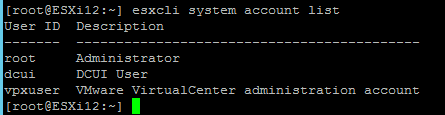
Run the below command for creating new user
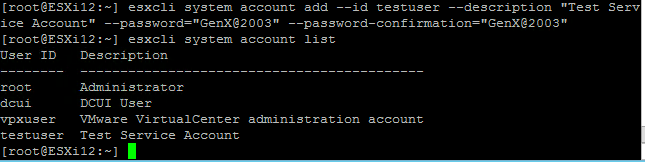
esxcli system account add –id testuser –description “Test Service Account” –password=”Server2003″ –password-confirmation=”Server2003″

we got error as our password is weak. We have modified the password and script was successful.
Powershell
Connect-VIServer 10.0.0.11 // connect ESXi
New-VMHostAccount -password GenX@2003 -Description “Test account” -useraccount TestUser1 // create user with User Name “TestUser1” and password “GenX@2003”

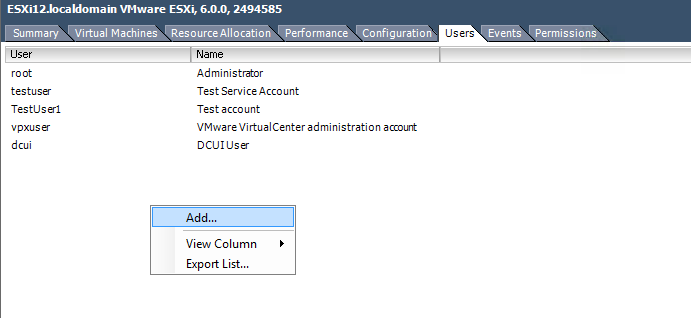
after execution of the script we can see account TestUser1 created.

vSphere Client
Login to ESXi host from the vsphere client and in Users tab we create new user
Account Security
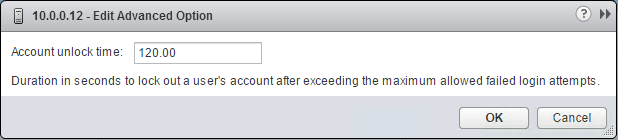
- Account Lock Failures: this feature allow to configure maximum failed login attempt before account locking out. Default value is 10.

- Account unlock time: Duration of time for account to lockout after wrong password attempt.
- Password complexity: Esxi use ESXi uses the Linux PAM module pam_passwdqc for password management and control.vSphere 6.0, your user password must meet the following requirements,
■ Passwords must contain characters from at least three character classes. ■ Passwords containing characters from three character classes must be at least seven characters long. ■ Passwords containing characters from all four character classes must be at least seven characters long.



Lockdown Mode
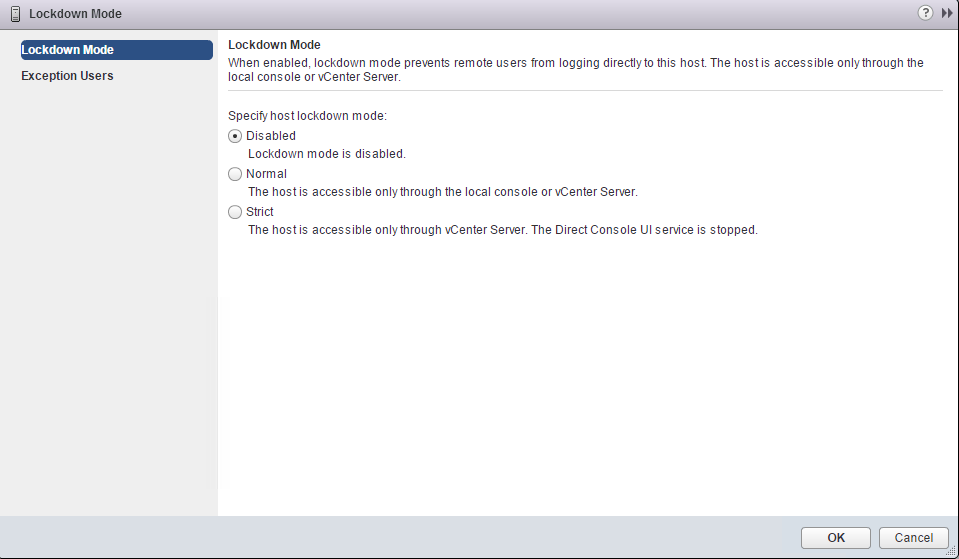
Lockdown mode is improved with two new feature, Normal and strict.
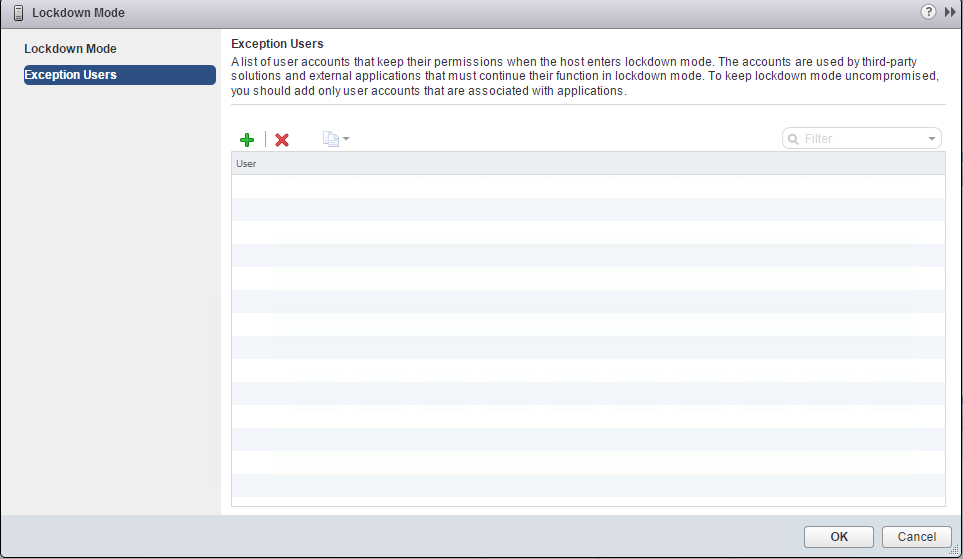
When using Normal mode, ESXi is only accessible through Local console or through vCenter. Only user through Exception list or DCUI.Access advanced option for the host can access the ESXi.
In strict mode DCUI service is no longer available. In case if vCenter fail and SSH and exception lists are not defiled then we need to reinstall the host.

Note: Since SSH service is independent of Lockdown mode, for security it’s recommended to disable the SSH during lockdown mode.
 vPower
Very good post! Thank you. To add: The account lockout parameters on ESXi (Security.AccountLockFailures, Security.AccountUnlockTime) can also be modified using PowerCLI, very useful if we have more than one ESXi host: https://www.sysadmit.com/2019/09/vmware-esxi-bloqueo-de-cuenta.html