Skip to content

vPower

Reblog by Anupam Pushkar

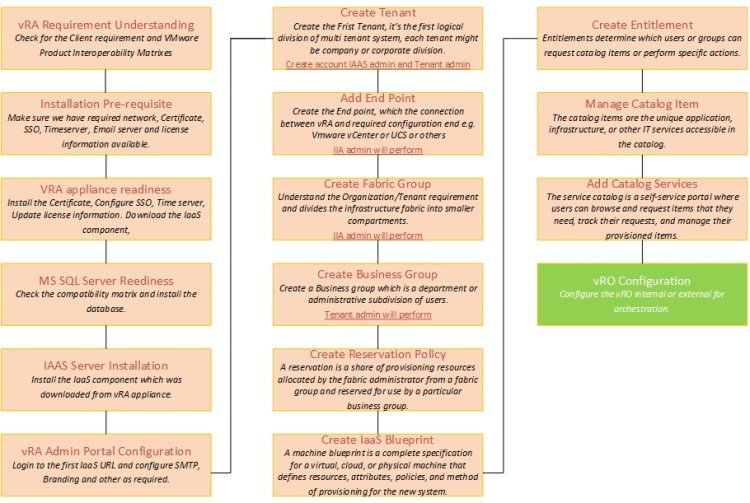
vRA 7.2 Installation and Configuration

Part 1: Installation

Part 2: Configuration
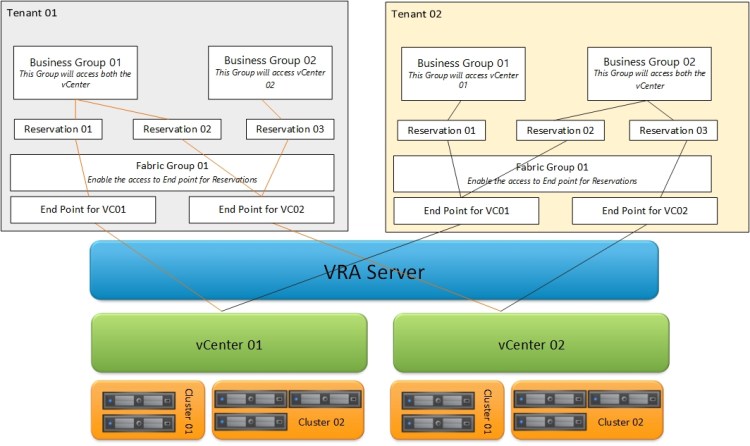
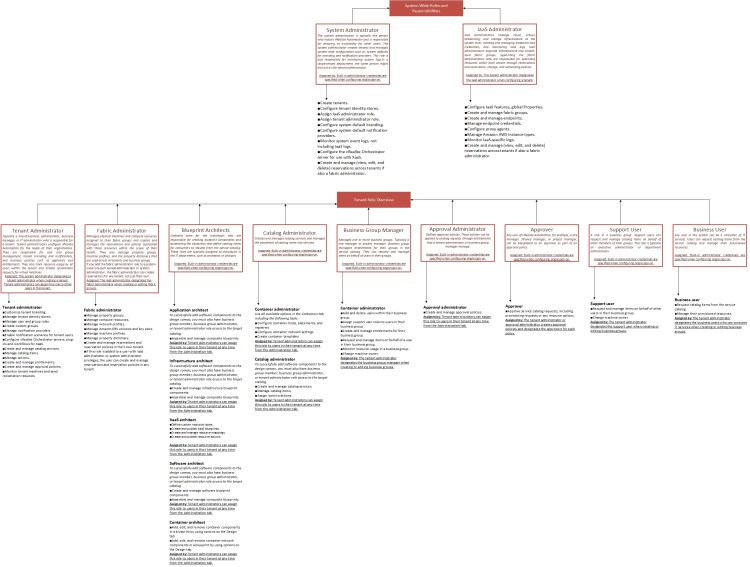
vra Understanding stepvra Understanding step2vra Understanding step3

Posted byrajwansh02003May 25, 2017Posted inUncategorizedLeave a comment on vRA 7.2 Installation and Configuration

PS: Connect remote Computer

As remote system to trust

Set-Item wsman:\localhost\client\trustedhosts *

Set-Item wsman:\localhost\client\trustedhosts <System Name/IP>

Connect to remote system with below Command

Enter-PSSession -ComputerName 192.168.10.14 -Credential


Posted byrajwansh02003January 20, 2017Posted inUncategorizedLeave a comment on PS: Connect remote Computer

PS: Set IP and DNS

$wmi = Get-WMIObject Win32_NetworkAdapterConfiguration
Foreach($wmis in $wmi) {
$wmis.EnableStatic(“10.0.0.15”, “255.255.255.0”)
$wmis.SetGateways(“10.0.0.1”, 1)
$wmis.DNSServerSearchOrder
$DNSServers = “198.168.10.14″,”198.168.10.15″
$wmis.SetDNSServerSearchOrder($DNSServers)
$wmis.SetDynamicDNSRegistration(“TRUE”)

}

Posted byrajwansh02003January 17, 2017Posted inUncategorizedLeave a comment on PS: Set IP and DNS

Posts pagination

Newer posts 1 … 8 9 10 11 12 … 43 Older posts
vPower, Blog at WordPress.com.
  • Subscribe Subscribed
    • vPower
    • Already have a WordPress.com account? Log in now.
    • vPower
    • Subscribe Subscribed
    • Sign up
    • Log in
    • Report this content
    • View site in Reader
    • Manage subscriptions
    • Collapse this bar
 

Loading Comments...